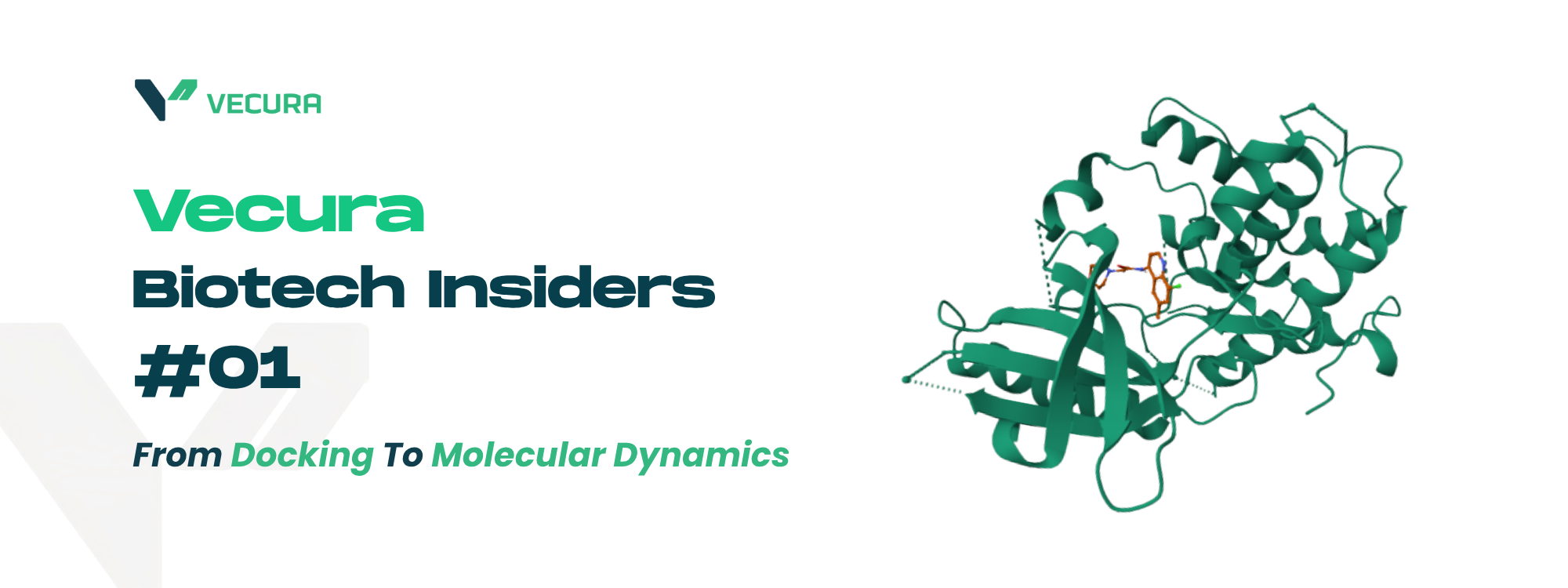
Vecura Biotech Insiders #01: From Docking to Molecular Dynamics
A community workflow example using AutoDock Vina and GROMACS on Vecura
Thanks to Ananya Bhuravajhala, author of the Source Post
Recently, a Vecura user shared a workflow showing how they moved from molecular docking to molecular dynamics simulation using tools available on Vecura. The workflow combined AutoDock Vina for docking and GROMACS for molecular dynamics simulation, using a molecular glue interaction example involving Thalidomide, Cereblon, and SALL4 as a learning case.
This first edition of Vecura Biotech Insiders highlights the workflow as a practical community example. Rather than presenting it as a formal validation study, this article focuses on what the workflow demonstrates: how researchers can use Vecura to connect multiple computational steps and explore molecular interaction behavior in a more accessible way.
Why Docking Alone May Not Be Enough
Molecular docking is widely used in early-stage computational biology and drug discovery. It helps researchers estimate how a ligand may position itself within a binding site and provides an initial view of possible protein-ligand interactions.
However, docking usually gives a static or semi-static snapshot. In real biological systems, molecules are constantly moving. Proteins fluctuate, ligands shift, binding interfaces change, and interaction stability can depend on how the full system behaves over time.
For some research questions, a docking pose is useful but incomplete. Researchers may also need to ask:
Can the interaction remain stable during simulation?
Does the ligand stay within the expected binding region?
How does the protein structure fluctuate over time?
Are key molecular contacts maintained or disrupted?
This is where molecular dynamics simulation can provide a deeper computational perspective.
Workflow Overview: From Docking to Molecular Dynamics
The community workflow followed a practical computational path:
| Step | Workflow Stage | Purpose |
| 1 | Molecular docking | Generate an initial binding pose and interaction hypothesis |
| 2 | Molecular dynamics simulation | Simulate how the molecular system behaves over time |
| 3 | Stability analysis | Review structural and interaction-related signals from the simulation |
| 4 | Research interpretation | Use the outputs to support further investigation and hypothesis refinement |
The workflow started with docking to generate a possible interaction pose. It then moved into molecular dynamics to explore whether that interaction appeared stable in a simulated dynamic environment.
Finally, the user reviewed stability-related outputs to better understand how the system behaved across the simulation.
Tools Used on Vecura: AutoDock Vina and GROMACS
| Tool | Role in This Workflow |
| AutoDock Vina | Used for molecular docking and predicting possible ligand binding poses |
| GROMACS | Used for molecular dynamics simulation and time-based system behavior analysis |
| Vecura | Provides a unified platform to access AutoDock Vina, GROMACS, and other SOTA docking and molecular dynamics tools based on users’ research needs, with less setup complexity. |
Together, these tools allow researchers to move from an initial docking result into a more dynamic analysis of molecular behavior.
What This Workflow Demonstrates
This workflow demonstrates how researchers can use Vecura to explore interaction stability over time.
Instead of stopping at a single docking pose, the user moved into molecular dynamics simulation to review how the molecular system behaved across simulated time. This can help researchers generate more informed computational hypotheses before moving into deeper analysis or experimental validation.
Common molecular dynamics outputs may include:
| Output | What It Helps Explore |
| RMSD | Structural deviation over time |
| Radius of gyration | Molecular compactness and overall structural stability |
| Interaction changes | Whether important contacts are maintained or disrupted |
| Trajectory behavior | How the system evolves during simulation |
These outputs do not provide final biological proof on their own. However, they can help researchers build a more complete computational view of the system they are studying.
Why Vecura Helps
For many researchers, the challenge is not only selecting the right computational tools. The challenge is getting the full workflow to run.
Traditional molecular dynamics workflows often require several layers of technical setup, including software installation, command-line execution, force field preparation, input file formatting, and access to sufficient compute resources.
This can create friction for students, early-career researchers, interdisciplinary teams, and scientists who may not have dedicated computational infrastructure.
Vecura helps reduce this friction by making advanced computational tools more accessible within a unified platform experience.
| Traditional Workflow Challenge | How Vecura Helps |
| Multiple tools across separate environments | Brings tools into one accessible platform |
| Heavy command-line setup | Reduces technical barriers for running workflows |
| Complex installation and configuration | Allows users to focus more on the scientific question |
| Difficulty moving from docking to simulation | Supports connected, multi-step computational exploration |
| High infrastructure dependency | Makes advanced workflows easier to access and test |
The goal is not to remove scientific judgment. The goal is to make advanced computational workflows easier to explore, repeat, and build upon.
A Note on Scientific Interpretation
This community workflow should be understood as an exploratory computational example, not as a validated biological, toxicological, or clinical conclusion.
Molecular docking and molecular dynamics can help researchers generate hypotheses, inspect interaction behavior, and prioritize questions for further investigation. However, results from these workflows should be interpreted carefully and, where relevant, followed by appropriate experimental validation.
For Vecura, the significance of this workflow is not that it proves a biological outcome. The significance is that it shows how researchers can use the platform to connect multiple computational methods and explore scientific questions more efficiently.
Try a Similar Workflow on Vecura
Vecura provides access to a growing set of AI and computational biology tools for life science research, including tools for molecular docking, protein structure prediction, molecular dynamics, bioactivity exploration, and more.
For researchers who want to go beyond static predictions, workflows that combine docking and molecular dynamics can provide a practical next step.
| Start with | Move into | Review |
| A docking hypothesis | Molecular dynamics simulation | Stability-related outputs and interaction behavior |
Explore AutoDock Vina, GROMACS, and other life science tools on Vecura.
Try a similar workflow on Vecura
Try Vecura now.
Bring your own inputs and start exploring what Vecura can do.