Vecura Agent New Capability: Choose Databases Before You Ask Vecura Agent
Choose from 40+ scientific databases or use @ to call databases and tools directly for faster, more focused research with Vecura Agent.
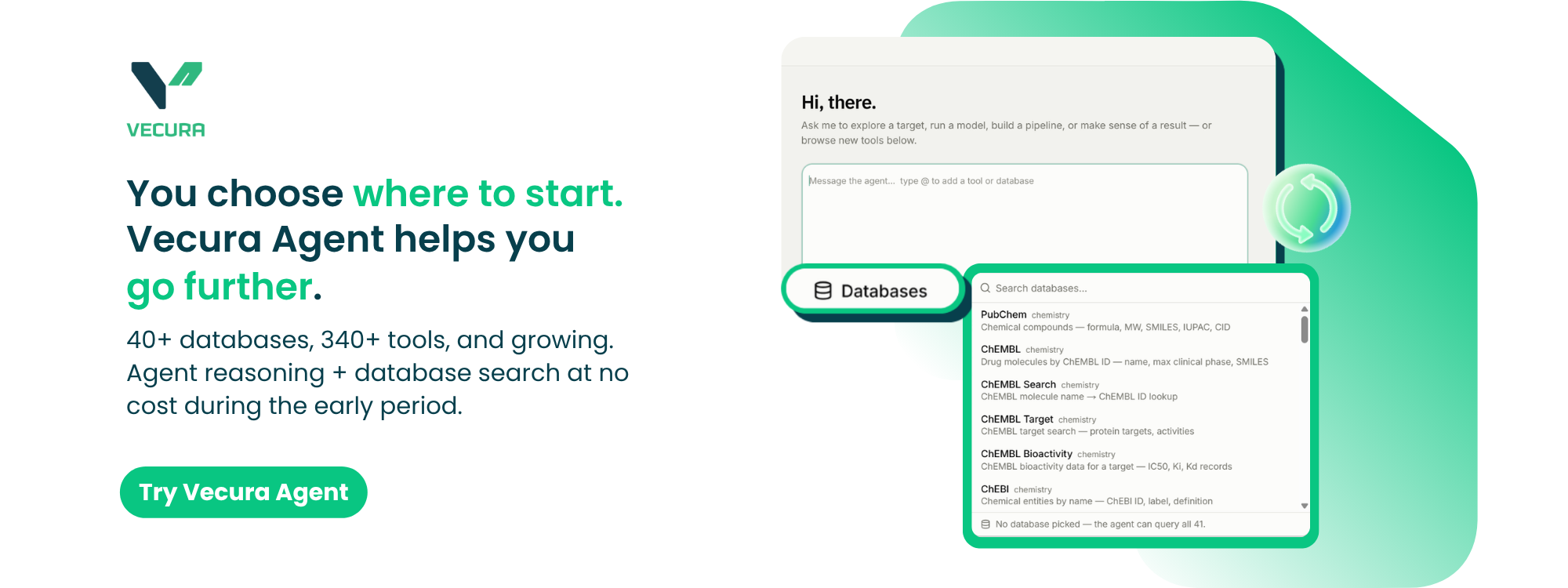
Scientific questions rarely require the same sources. A targeted question may benefit from a focused set of databases, while an exploratory task may require broader coverage across multiple research domains.
Vecura Agent now gives researchers more control over this starting point. Before submitting a question, users can choose which scientific databases the Agent should search. This helps reduce unnecessary scanning and can lead to faster, more focused, and more accurate answers.
Choose where the Agent searches
Users can now select the databases most relevant to their research directly from the Vecura interface.
For example, a researcher may want the Agent to focus on sources related to compounds and drug safety, while another question may require information about proteins, structures, pathways, or clinical trials. Defining the search scope helps the Agent concentrate on the evidence most relevant to the task.
There are two ways to direct the Agent:
-
Select databases from the database list before submitting a question.
-
Type @ in the question box to call a specific database or scientific tool directly.
This gives users greater control over both the information sources the Agent searches and the tools used to continue the investigation.
Not sure which databases to select?
Users do not need to know every database available on Vecura before starting.
For broad or exploratory questions, simply select all databases and let the Agent search across the full database library.
If the selected databases do not provide enough evidence to answer the question, Vecura Agent can recommend additional relevant databases. Users can begin with a focused search while still expanding the scope when the research requires broader coverage.
Access 40+ databases and 340+ scientific tools
Vecura currently provides access to more than 40 scientific databases spanning:
-
Compounds
-
Genes
-
Proteins
-
Structures
-
Targets
-
Pathways
-
Variants
-
Clinical trials
-
Drug safety
-
Scientific literature
The platform also connects the Agent with more than 340 scientific tools for computational research and workflow execution.
As new databases are integrated into Vecura, they automatically appear in the interface. Users can access newly available sources without needing to update or configure the platform manually.
Explore first, run tools when needed
During the early period, Vecura Agent reasoning and database searches are available at no cost.
Users can ask questions, explore scientific evidence, refine the search scope, and consult additional databases without using tokens. Tokens are deducted only when scientific tools or computational workflows are run.
This provides a clear distinction between exploring a research question with the Agent and executing computational tasks through Vecura’s scientific tool ecosystem.
How to try the new database selection experience
-
Open Vecura Agent.
-
Enter your research question.
-
Select the databases you want the Agent to search, or type @ to call a specific database or tool.
-
Submit your question and review the evidence returned by the Agent.
-
Add any additional databases recommended by the Agent if broader coverage is needed.
-
Run scientific tools or workflows when you are ready to continue the analysis.
Choose the sources that matter to your research, then let Vecura Agent focus the search.
Try Vecura now.
Bring your own inputs and start exploring what Vecura can do.